Apple MacBook Air M5 Review: A Lightweight Laptop That Makes Everyday Work Effortless
- 1 Apple MacBook Air M5 Technical Specifications
- 1.1 Timeless Premium Design
- 1.2 The Liquid Retina Display Is Amazing
- 1.3 Show Highlights
- 1.4 The Apple M5 Chip Is Fast Every Day
- 1.5 Real World Results
- 1.6 The Keyboard and Trackpad Feel Nice
- 1.7 Fast SSD Storage Keeps Things Moving
- 1.8 Its Battery Life Is One of Its Greatest Strengths
- 1.9 No Fan Noise, Quiet Performance
- 1.10 Connectivity for Everyday Needs
- 2 Advantages and Disadvantages
- 3 Conclusion
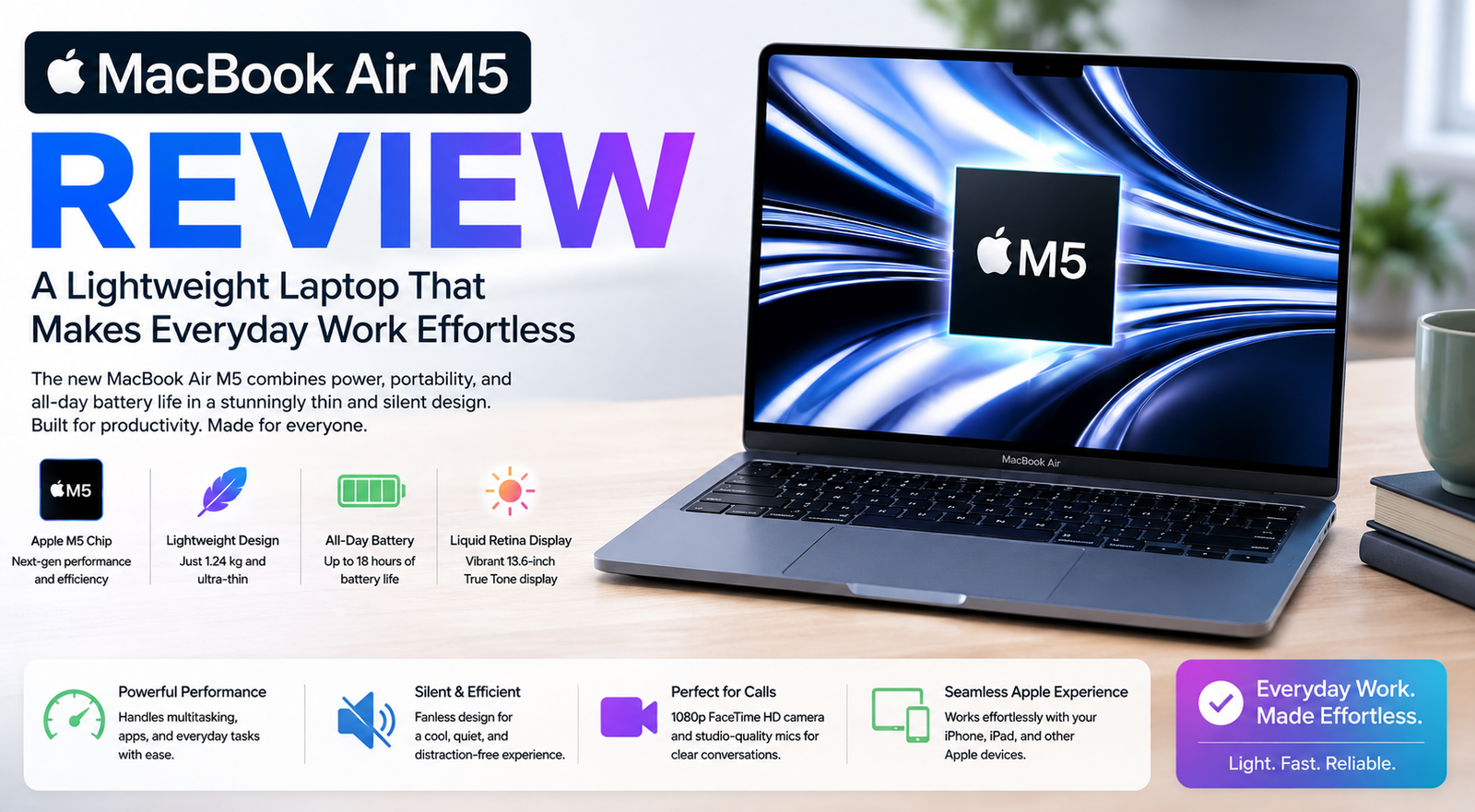
When I initially began to look at the Apple MacBook Air M5, I wasn’t hunting for the most powerful workstation or gaming notebook. I needed a laptop that was light enough to tote along yet powerful enough to easily manage writing, multitasking, video meetings, web browsing, photo editing, and entertainment. I spent some time getting to know the new MacBook Air, and I quickly saw why it’s still one of Apple’s most popular notebooks.
What I like most is the great balance of all elements. Apple hasn’t sought to make a heavy performance machine out of the MacBook Air. Instead, it’s about marrying a slim design, long battery life, a stunning display, rapid performance, and a quiet user experience. From working in a cafe, to attending online meetings, to editing documents, to watching movies after work, the MacBook Air M5 feels up to practically anything I throw at it.
Apple MacBook Air M5 Technical Specifications
| Specification | Apple MacBook Air M5 |
| Display | 13.6” or 15.3” Liquid Retina display |
| Processor | Apple M5 chip |
| Graphics | Integrated Apple GPU |
| RAM | Up to 32GB unified |
| Storage | Solid State Drive up to 2 TB |
| Operating System | macOS |
| Battery Life | Up to 18 Hours |
| Weight | Starting at roughly 2.75 pounds |
| Connectivity | Thunderbolt / USB 4, MagSafe, Wi-Fi 6E, Bluetooth |
| Camera | 12MP Center Stage Camera |
Exact specifications will vary depending on the model you select, but every configuration is engineered for mobility, productivity, and everyday performance.
Timeless Premium Design
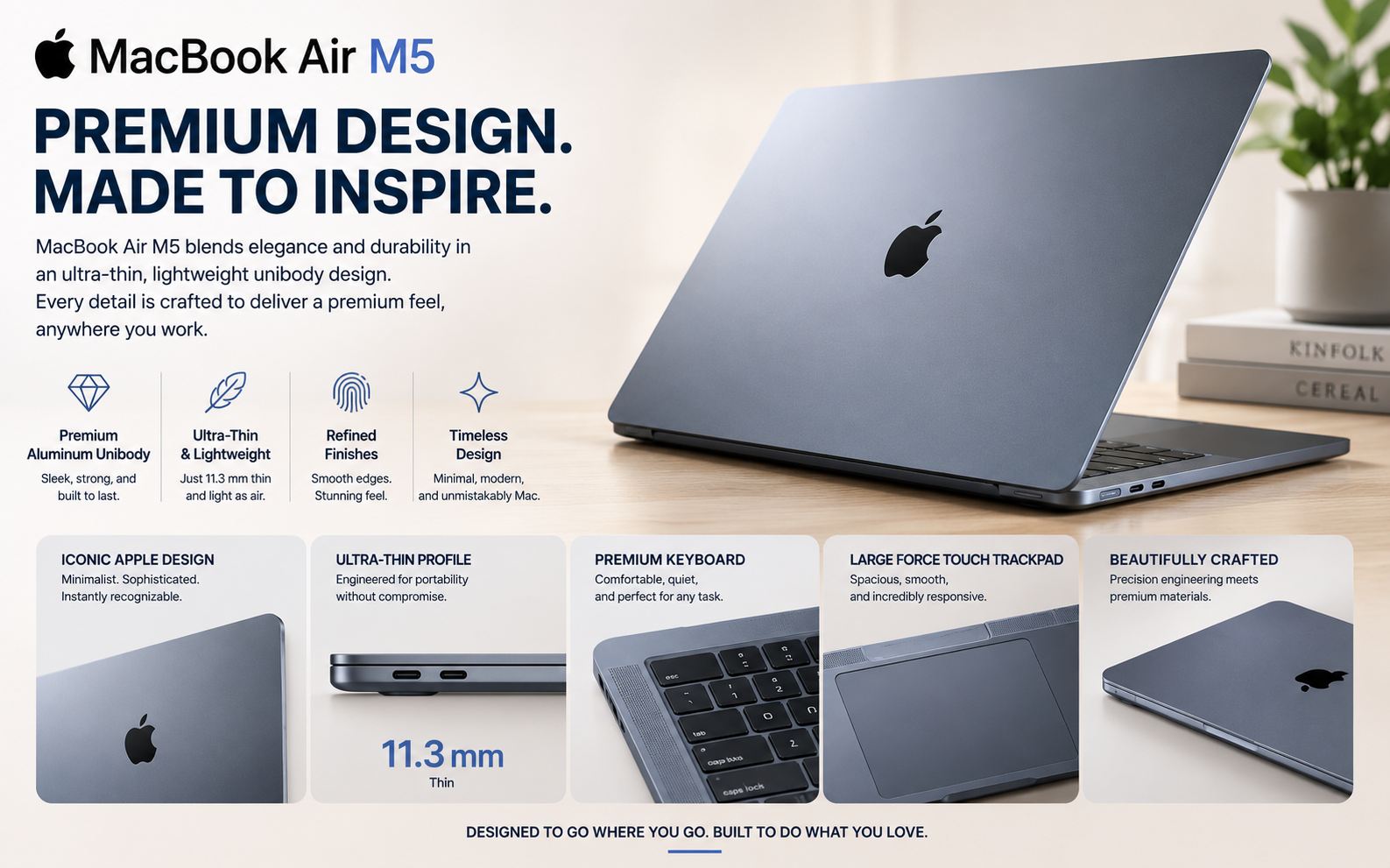
The first thing I liked about the MacBook Air M5 was its sleek, simple look.
Apple has preserved the thin aluminum body that the MacBook Air family is known for. It seems nice from every perspective, but it’s surprisingly lightweight.
Portability is never a problem whether I’m taking it to work, vacationing, or just moving about the house.
It is solidly built, and it is thin, but the laptop feels durable enough for everyday usage.
The Liquid Retina Display Is Amazing
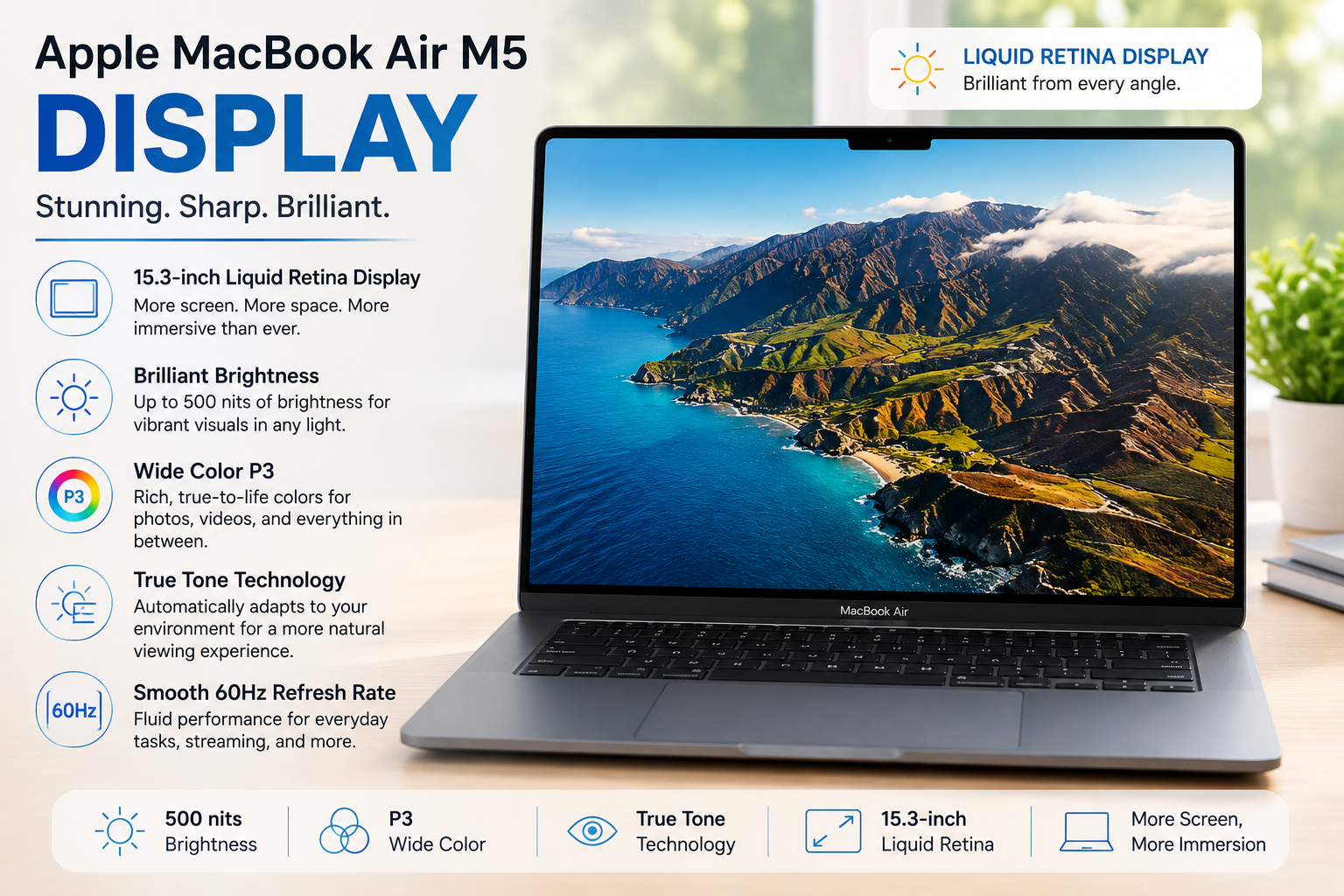
The screen is one of my favorite things about the MacBook Air M5.
The Liquid Retina display is brilliant, with sharp colors and text and amazing detail. Writing paperwork and watching movies, things like that—they’re all vibrant.
I spend hours working on documents and visiting websites, so having a display that is comfortable to look at throughout the day makes a big difference.
The thin bezels also help optimize screen area without increasing the size of the laptop.
Show Highlights
| Feature | Advantages |
| Liquid Retina™ display | Bright and colorful graphics |
| High-Resolution | Crisp Text and Illustrations |
| Wide Color P3 | Bright, precise color |
| True Tone Technology | Enhanced Viewing |
| Narrow Bezels | More Viewing Space |
I think the display is one of the laptop’s strongest points, both for business and amusement.
The Apple M5 Chip Is Fast Every Day
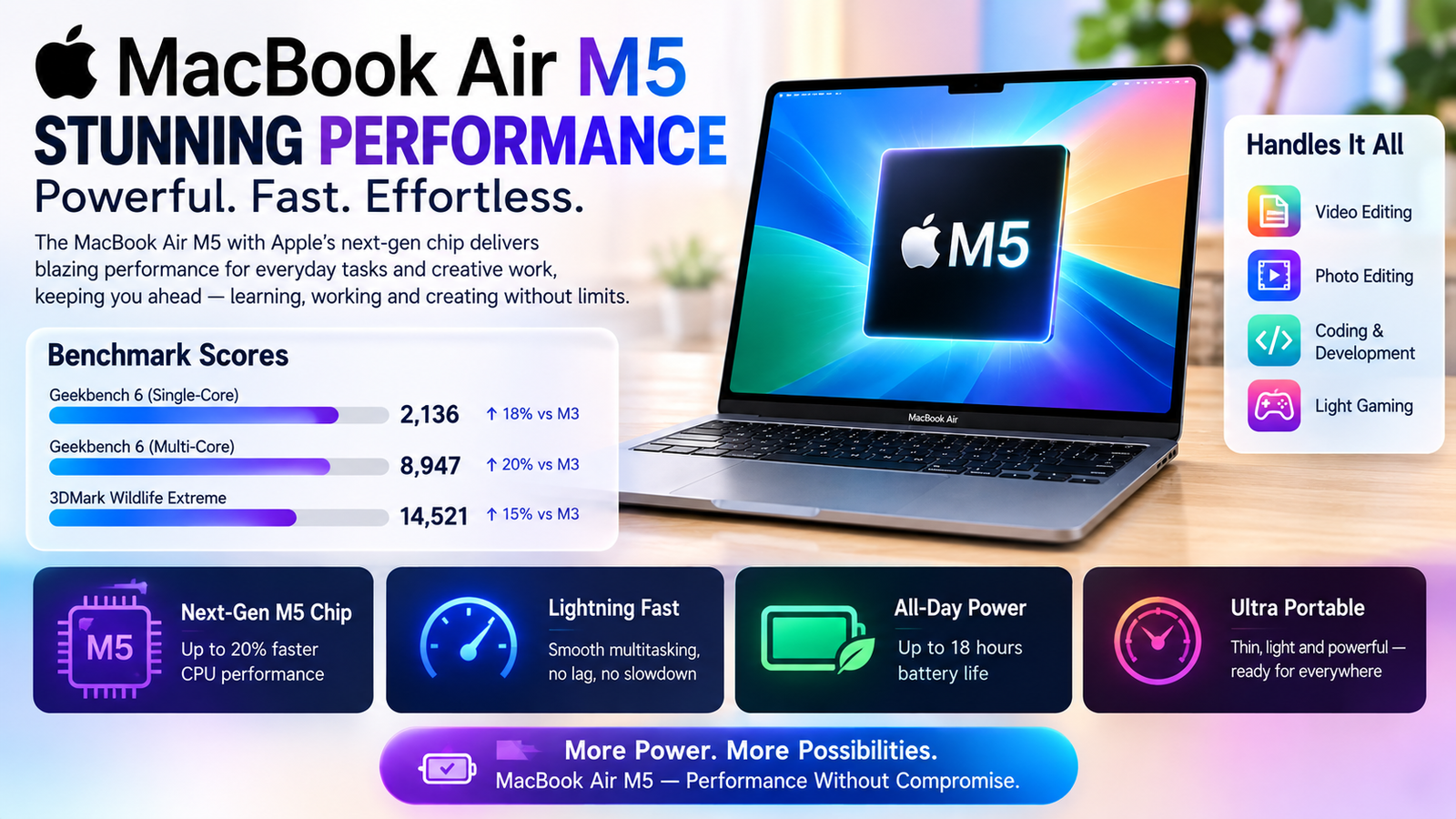
The MacBook Air M5 is an absolute performance beast.
The Apple M5 chip is great at handling everyday chores. Whatever I’m working on—articles, spreadsheets, images, video meetings, dozens of browser tabs—it all feels fast and fluid.
Apps launch fast, multitasking is a breeze, and macOS performs really well on Apple Silicon.
For most people, this level of performance is more than enough to get through the day.
Real World Results
I like laptops that stay responsive no matter what applications I have open.
Which is just what the MacBook Air M5 does.
| Task | Performance |
| Web Browsing | Very Good |
| Office Work | Excellent |
| Content Writing | Excellent |
| Video Streaming | Excellent |
| Online Meetings | Excellent |
| Multitasking | Excellent |
| Photo Editing | Very Good |
| Light Video Editing | Very Good |
It’s not a gaming laptop, but it does a really good job for creative and professional work.
The Keyboard and Trackpad Feel Nice
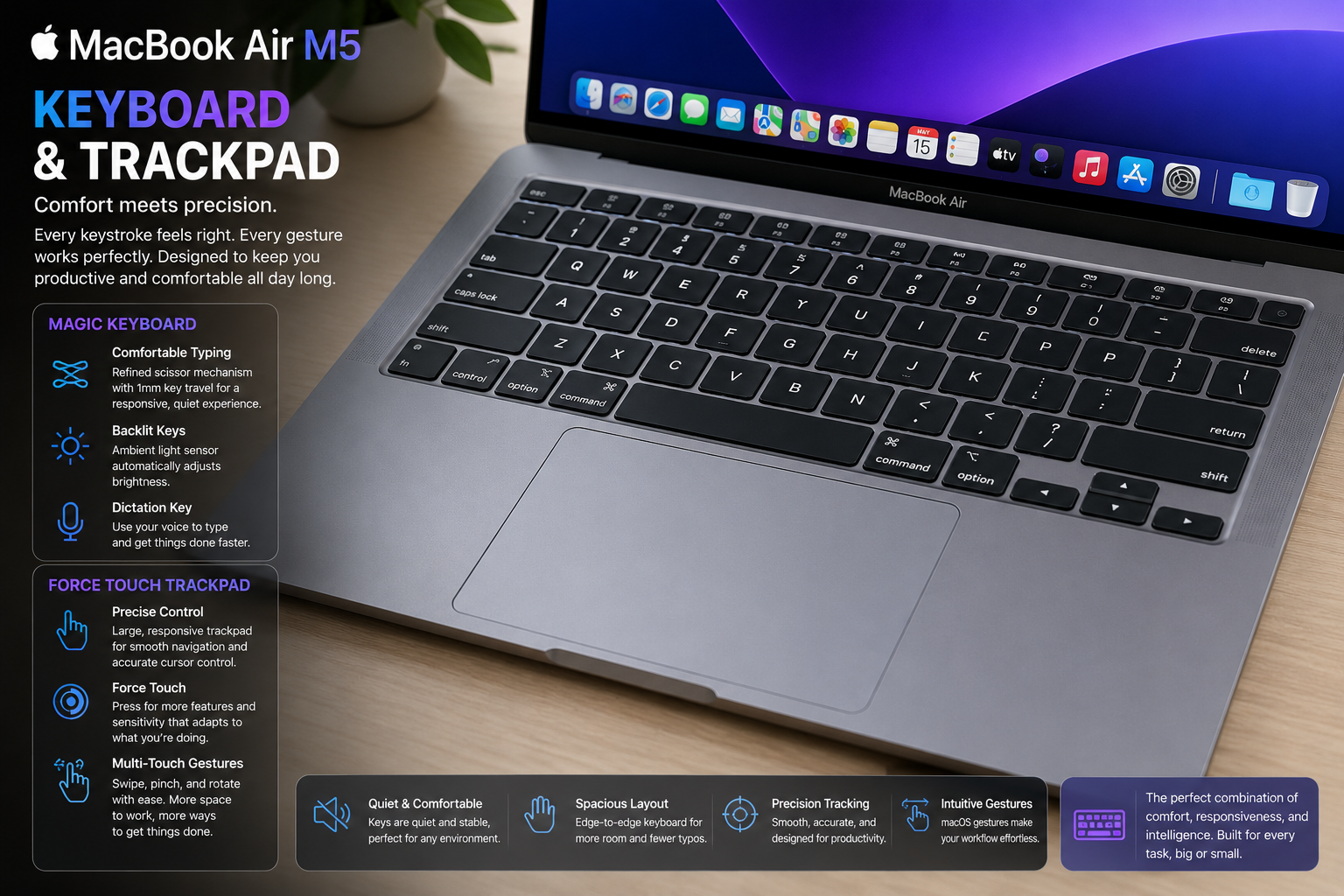
One of the best things about the MacBook Air M5 was the speed of typing.
The Magic Keyboard’s key travel is pleasant, and extended writing sessions are a pleasure.
The big Force Touch trackpad is still one of the nicest I’ve used. Navigation is smooth, gestures are precise, and interacting with macOS on a day-to-day basis feels natural.
Everything works exactly as I would expect it to.
Fast SSD Storage Keeps Things Moving
The quick SSD storage in the MacBook Air M5 helps the entire machine feel responsive.
It starts up in seconds, apps open virtually promptly, and big files transmit with speed.
With SSD options up to 2TB, there is plenty of space for documents, photographs, videos, and programs without the continual anxiety of limited space.
The speed of the storage is a huge factor in the overall experience.
Also Read- Apple Mac Studio (M1 Max) Review: Compact Powerhouse
Its Battery Life Is One of Its Greatest Strengths
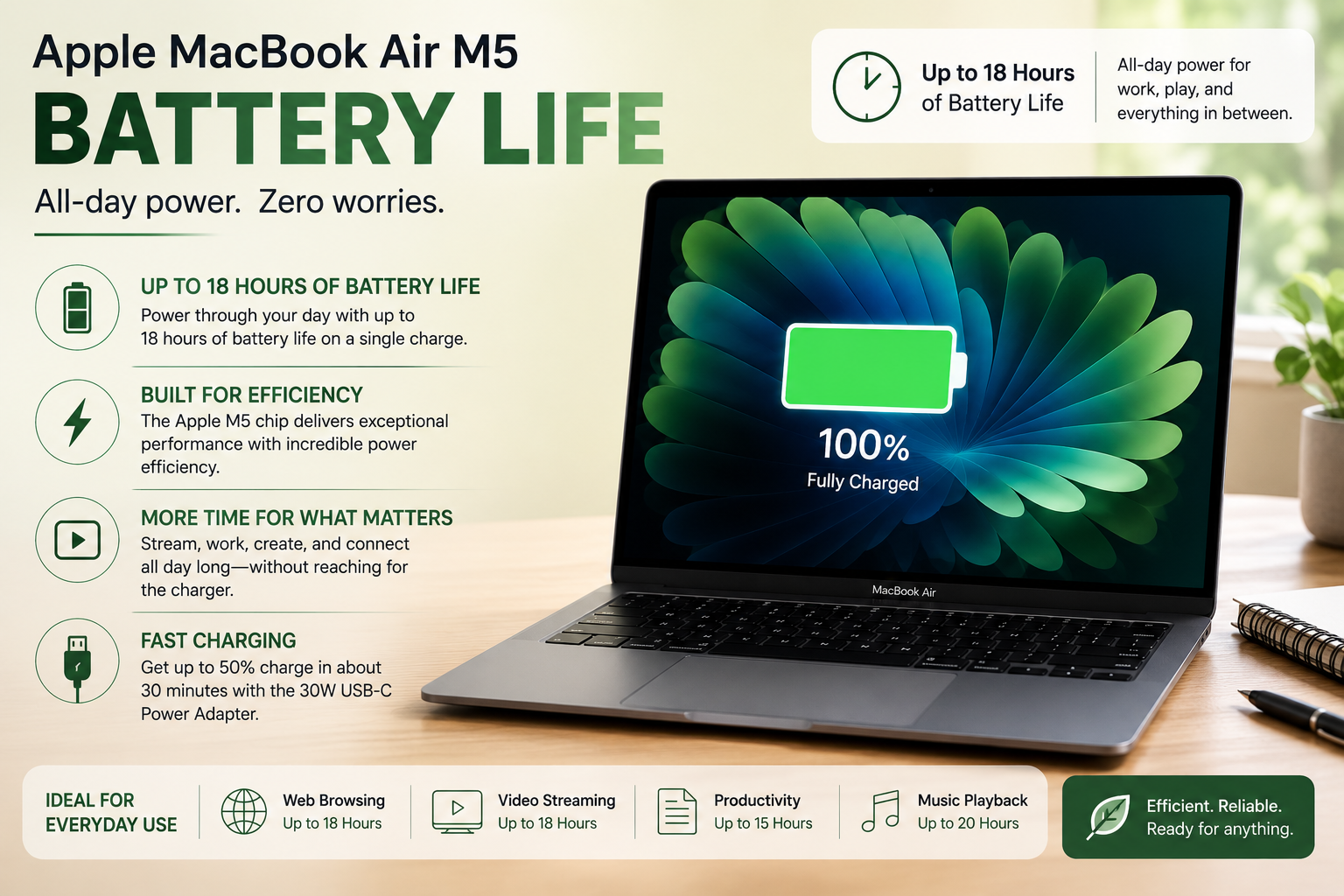
The battery life is undoubtedly one of my favorite qualities.
Apple says you may get up to 18 hours of battery life depending on use, so if you spend many hours away from a charger, the MacBook Air M5 is a good option.
Battery life should see you through most of the day easily for regular tasks such as writing, web browsing, video calls, and streaming.
That kind of efficiency makes it a fantastic option for students, distant employees, and regular travelers.
No Fan Noise, Quiet Performance
Another thing I love is the fanless design.
The MacBook Air M5 is silent when working on ordinary tasks with no cooling fans.
Whether I’m working, scrolling, or attending meetings, the laptop stays quiet and cool enough for average workloads.
All in all, that stealthy operation allows for an even more delightful experience.
Connectivity for Everyday Needs
Modern connectivity for everyday users: The MacBook Air M5 has modern connectivity.
MagSafe charging maintains one Thunderbolt port free for use while charging, and the Thunderbolt/USB 4 ports are compatible with external displays, high-speed storage devices, and peripherals.
Wi-Fi 6E and Bluetooth deliver consistent wireless performance for video meetings and wireless devices.
There is a limited number of ports, yet it is plenty for most everyday purposes.
Advantages and Disadvantages
| Advantages | Disadvantages |
| Aluminum lightweight construction | Limited port selection |
| Great battery life | Not intended for serious gaming |
| Quick Apple M5 performance | The more storage, the higher the price |
| Gorgeous Liquid Retina display | Restricted hardware upgrades after purchase |
| Silent and fanless operation | Premium price |
| Convenient keyboard and touchpad | External adapters may be needed |
Who Should Purchase the Apple MacBook Air M5?
I think the Apple MacBook Air M5 is a fantastic option for:
- Student
- Authors
- Office staff
- Telecommuters
- Business users
- Content makers
- Frequent travelers
- Everyday multitaskers
- macOS users who value portability
However, if you are doing complex 3D rendering, professional film creation, or intense gaming, you will want a MacBook Pro or equivalent high-performance workstation.
Conclusion
I’ve been able to explore all that the Apple MacBook Air M5 has to offer, and I can say that it continues the good things that have made the MacBook Air one of the world’s best-loved notebooks.
Most impressive was the balance it struck between performance, portability, battery life, display quality, and silent operation. Apple has not tried to fill it with extraneous features. Instead, it’s about giving you a reliable laptop that works fast, feels good, and is fun to use on a daily basis.
For a lightweight laptop that can comfortably manage writing, office work, multitasking, streaming, online meetings, photo editing, and everyday productivity and last all day on a single charge, I highly recommend the Apple MacBook Air M5. It offers a quality experience in a form factor that is easy to take anywhere, combining attractive design, great performance, and exceptional efficiency.