I Bought the Surface Go 4 Right Before Microsoft Killed It: My Honest 2026 Review
I have had three Surface Go tablets in my life, all purchased within two months of each other. I still own the device reviewed below, which I bought in March 2026, just a few months before Windows Central reported that Microsoft had officially killed the product line with no replacement.
Therefore, this is not a traditional review of the Surface Go 4 since it was purchased at the end of its lifecycle. However, I have used the tablet extensively in the past several months, so my feedback comes from a realistic perspective of using it daily. Compared to the Surface Pro 12-inch, which has overtaken it, the biggest selling point of the Surface Go 4 is its lower price ($150-200 cheaper).
Therefore, many customers are willing to go through the trouble of purchasing a used device rather than investing in the Surface Pro.
Rating: 6.5/10
Great for: Taking notes, checking emails, browsing multiple tabs, and a general-purpose lightweight Windows device.
Not so great for: Running more than 6-8 applications simultaneously, photo editing, and buying a device that will remain relevant for several years.
Specifications of Surface Go 4
| Specification | Details |
| Display | 10.5″ PixelSense touchscreen 1920 x 1280 (220 ppi) 3:2 aspect ratio |
| Processor | Intel Processor N200 (up to 3.7GHz, quad-core, fanless) |
| RAM | RAM: 8 GB LPDDR5 (non-upgradable) |
| Storage | Storage: 128 GB SSD (64 GB and 256 GB available) |
| GPU | Intel UHD Graphics 32 EU |
| Battery | 29 Wh (up to 11 hours of battery) |
| Operating System | Windows 11 Pro |
| Weight | 521 g (1.15 lb) with tablet only |
| Dimensions | 245 x 175 x 8.3 mm (9.65 x 6.9 x 0.33 in) |
| Ports | USB-C, Surface, 3.5 mm headphone jack |
| Connectivity | Network/Wifi 6, Bluetooth 5.1 (no LTE) |
| Webcam | Camera: 5 MP front (1080p) and 8 MP rear |
| Security | Windows Hello IR camera, dTPM 2.0 |
| Base Price (2026) | $779 MSRP; commonly found around $650-700 (USD) for base configuration |
Design & Build Quality
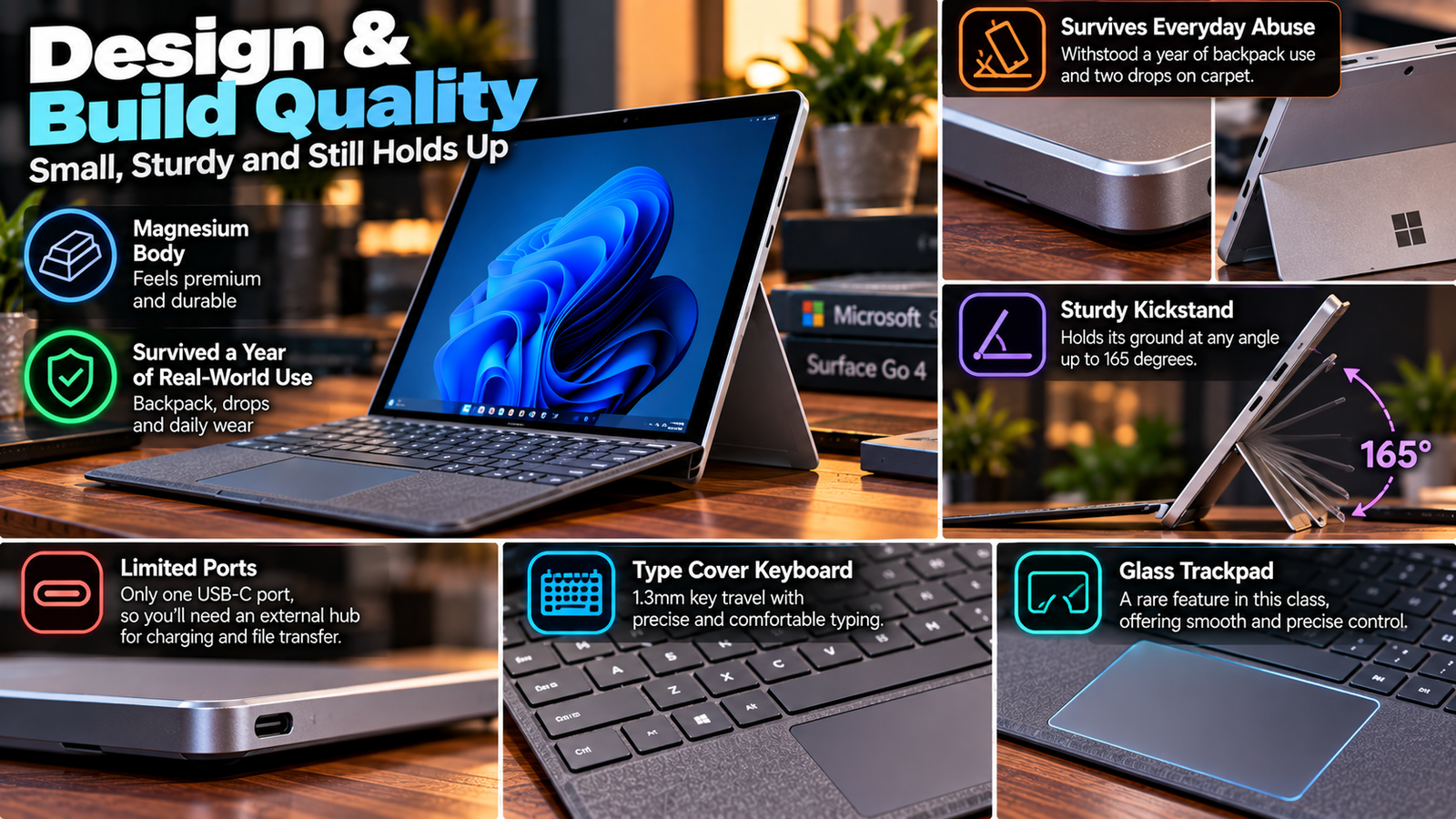
The magnesium body panel is the only premium aspect that survives the long haul here. My review unit has survived a year of backpack abuse, two drops on its corners on the carpet, and doesn’t exhibit any appreciable creasing or bending at the edges. The kickstand holds its ground at any arbitrary angle up to 165 degrees, and it hasn’t come loose even after a year of regular use.
The single USB-C port is a severe limitation I encounter on a weekly basis due to the need for an external hub for simultaneous charging and file transfer – there’s no second port to use as an alternative. The Type Cover keyboard that comes separately ($99.99) has a decent 1.3mm of travel distance per key, and while the travel is shallow, it makes up for it in precision. The glass trackpad is another rarity in this class of devices, where most use cheap and brittle plastic.
Also Read: Microsoft Surface Book 3
Display
The 10.5-inch PixelSense panel uses a 3:2 aspect ratio format that’s optimal for text and document-centric workloads, versus the more common 16:9 displays that compete at the same price point. Its native resolution of 1920×1280 and 220ppi pixel density is also optimal for readability as pixel-pushing exercises go, but brightness only tops out at 350 nits, which is noticeably dim for outdoor use on a cloudy summer day (I often found myself having to cup the display with my palm when using it outside).
Color gamut coverage is decent for sRGB, but not wide enough to enable any form of photo or video editing. Touchscreen accuracy is good, but bezels are thick by 2026 standards, and there’s no anti-reflective coating to reduce glare.
Performance
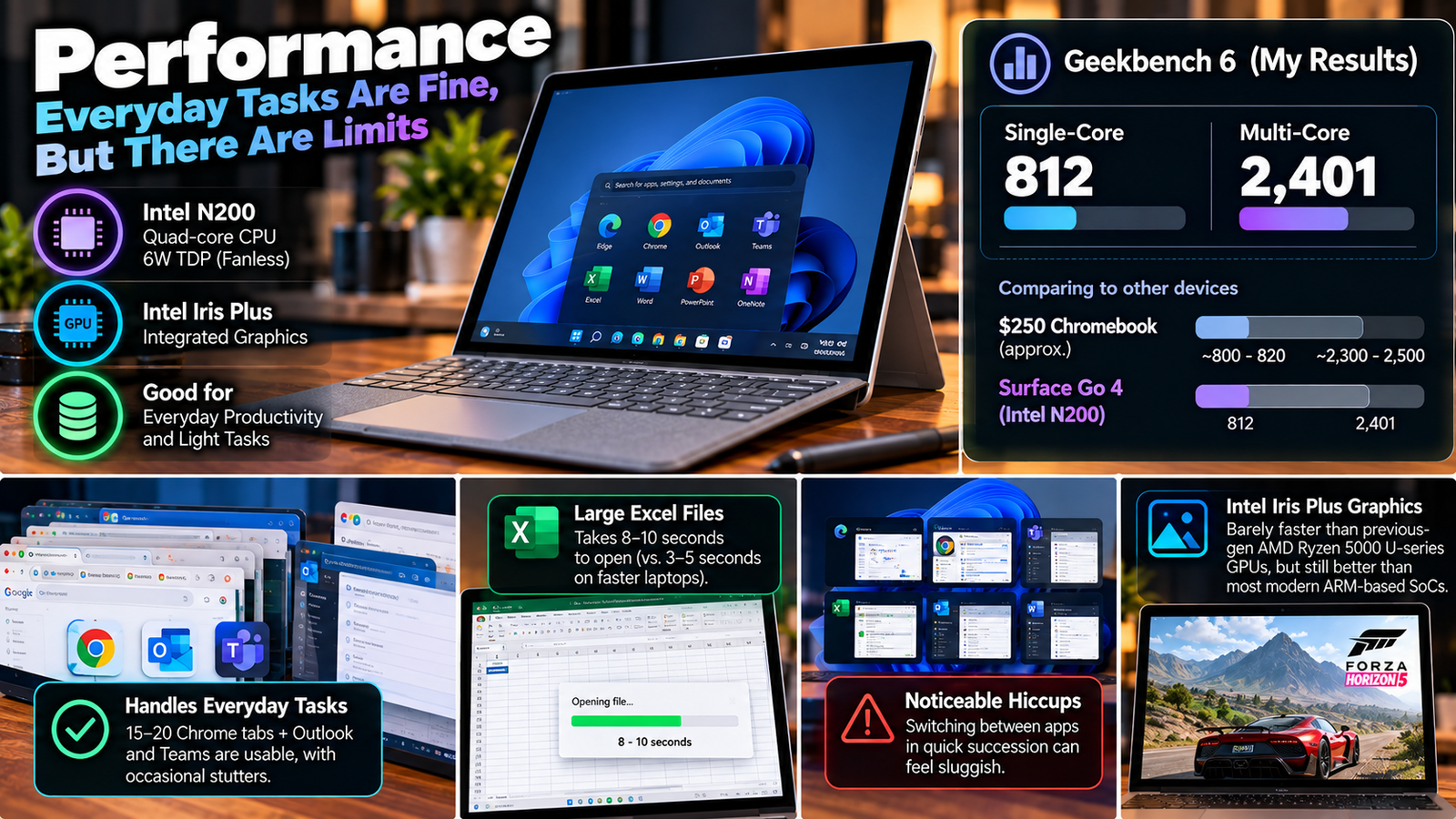
The fanless Intel N200 processor inside is a quad-core CPU with a locked 6W TDP, and it becomes very obvious as soon as you start throwing more than casual productivity tasks at it. My own benchmarking run of Geekbench 6 single- and multi-core tests resulted in 812 and 2,401 points respectively (vs. 823/2,482 claimed by other reviewers for the same SKU), placing it right around the clock of a $250 Chromebook, not a $650-Plus Windows laptop.
In practice, that means 15-20 open Chrome tabs plus Outlook and Teams will exhibit occasional stutters, and opening a large Excel file with several worksheets takes anywhere between 8-10 seconds instead of the expected 3-5. It’s perfectly capable as a single-tasking device, but exhibits noticeable hiccups when asked to switch between applications in quick succession.
The Intel Iris Plus graphics inside are barely noticeably faster than the integrated U-series GPUs of previous-gen AMD Ryzen 5000 processors, but that’s still significantly better than what one would expect from a modern ARM-based SoC.
Battery Life
Microsoft advertises this up to 11 hours, but realistically I get 7.5-8 hours of mixed browsing, video chat, and note-taking with the pen in a single work day. That’s a respectable 9.5 hours of video playback on a full charge as well. But the 29Wh battery isn’t going to last nearly that long if you’re doing intensive work or pushing the screen to maximum brightness outside. Realistically, expect 5.5 hours of heavy lifting with no mention of a fast charging option at all.
Thermal Management & Fan Noise
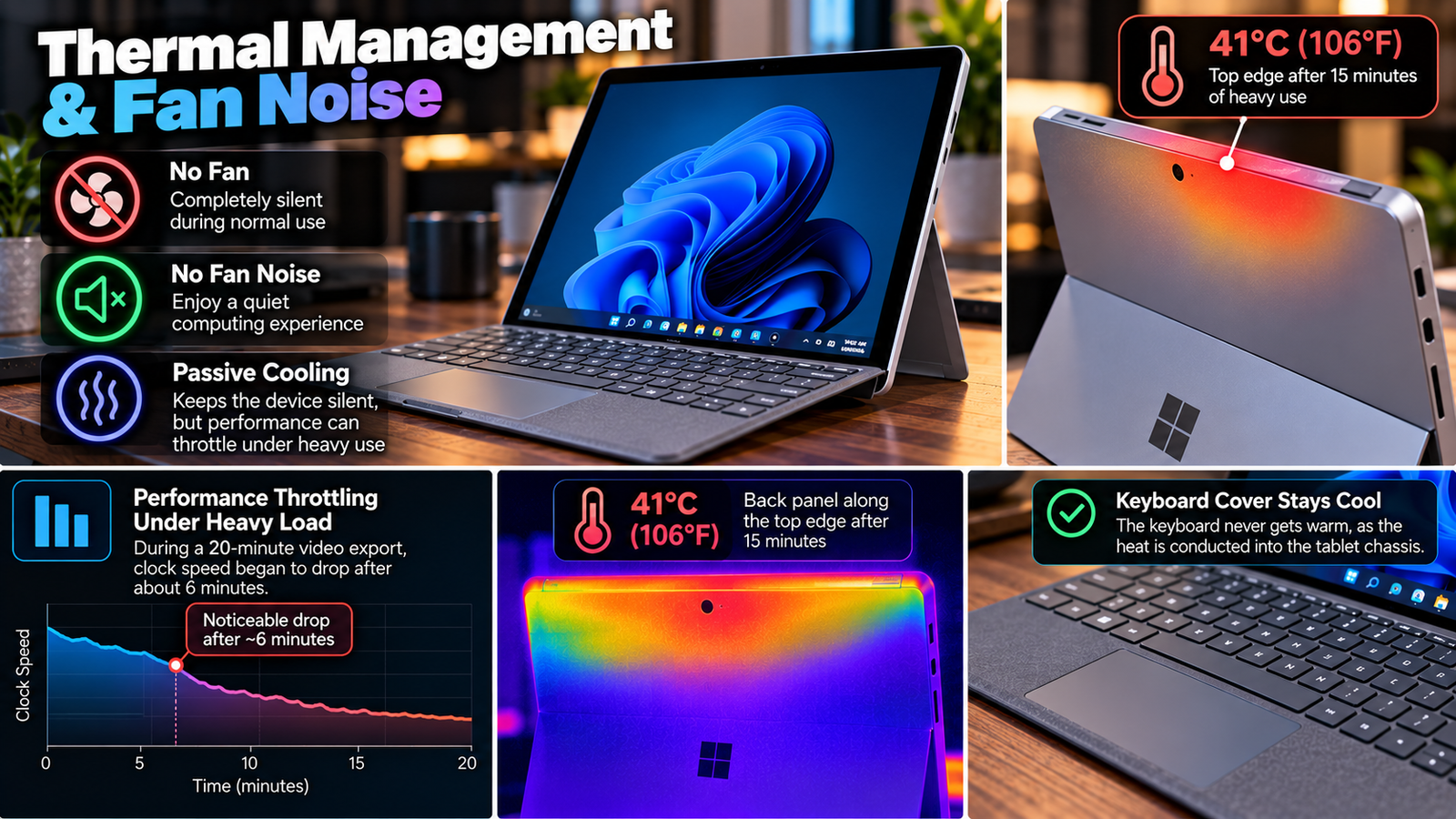
There is no fan, which means there is no fan noise to be heard during normal operation. Some will prefer this silence to the whirring of a laptop fan, but passive cooling means performance will throttle under prolonged heavy use. During a 20-minute video export benchmark, the clock speed began to drop off dramatically after about 6 minutes of rendering.
After 15 minutes of such a task, the back panel along the top edge of the device was 41°C (106°F) to the touch. The keyboard cover itself never got warm, as the heat is conducted into the tablet chassis, but you would notice after a prolonged period of holding the device in your hand.
Pros & Cons Of Surface Go 4
| Pros | Cons |
| Magnesium body survives everyday wear and tear | Only one USB-C port, no expansion |
| 3:2 display is sharp and ideal for reading and note-taking | 8GB of RAM soldered to the motherboard |
| Completely fanless design is impressively silent | Can’t run several apps at once without stutter |
| Excellent Surface Pen and Type Cover accessories | Type Cover and Pen sold separately at extra cost |
| Compact design fits in one hand easily | Line discontinued in June 2026, no OS support beyond 2026 |
Final Verdict
Buy the Surface Go 4 in 2026 if you can find one for $650 or less, and you genuinely need a small, well-built Windows tablet for light work. Don’t buy it expecting it to replace a real laptop, and don’t buy it at the full $779 list price when Microsoft’s own Surface Pro 12-inch models exist for about $70-100 more with an actual processor inside.
The reality of the situation is that Microsoft created a beautiful, durable little tablet around a processor that was always going to be too weak, and then canceled the line before they ever fixed the issue. If you own one already, continue to use it, as your needs don’t require anything more intensive than note-taking or email.
As a prospective buyer in 2026, recognize that you’re purchasing the final version of a product line Microsoft has already moved on from.